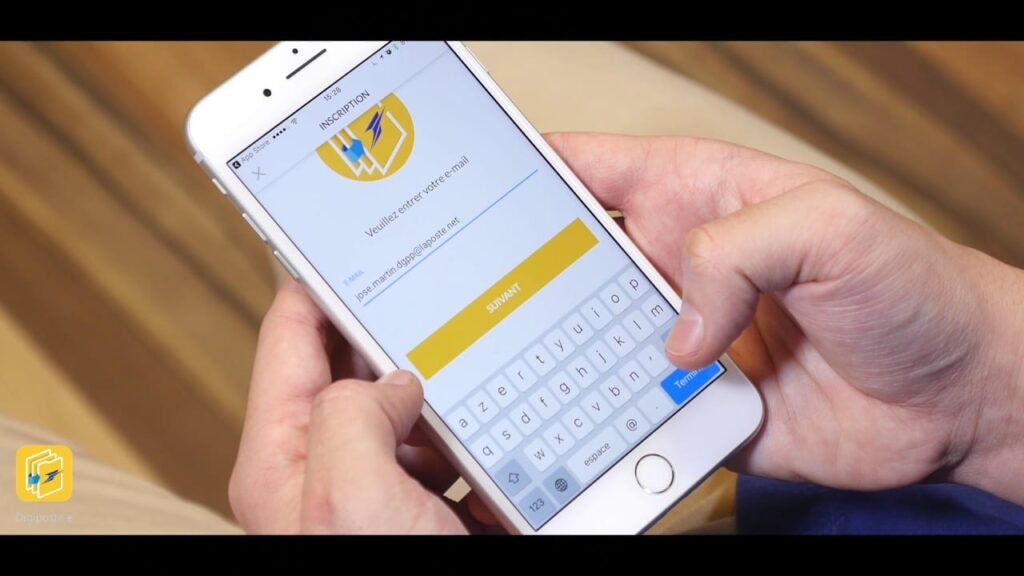
Document management today is much more done online. In this context, La Poste has initiated an online service to facilitate certain administrative procedures for businesses and individuals. This is DIGIPOSTE. It is a digital safe that helps centralize certain documents. You will find in this article the necessary information about DIGIPOSTE.
What is DIGIPOSTE?
DIGIPOSTE is an offer from La Poste that allows you to receive, archive, and share your electronic documents. It has several advantages for both individuals and businesses.
Advantages for Individuals
Digiposte allows individuals to:
- Centralize all their documents in a single secure space
- Receive documents that are sent to them. These documents have the same value as a paper original.
Advantages of Digiposte for Businesses
It allows businesses to:
- Manage their document flow electronically.
- Send documents in digital form to their employees, partners, or suppliers
It then allows businesses to communicate their documents with ease.
How to log in to your digiposte account?
After learning about all these advantages, the question you are probably asking is: but how do I log in to my Digiposte account?
The login procedure for Digiposte will depend on whether you already have an account or not.
If you already have an account
When you already have an account, logging in is very easy. Start by going to the website https://secure.digiposte.fr/identification-plus. After that, select the option “already have an account.” A space will appear for you to enter your credentials, either in the form of an email or username. When you created your account, you chose a password, enter it in the designated field. After this step, press enter to access your account.
If you do not have a digiposte account
So if you do not yet have an account, you will need to create one before you can log in.
Go to the Digiposte website and select the option “not yet an account.” After that, a page with information to fill out will be presented to you. Simply fill out this page and click enter to have your account. Note that the password must be 8 characters long with uppercase letters and numbers.
How to Activate Your Account?
If you have just created your digiposte account, you will need to activate it to be able to use it. After creating the account, you will receive an activation link in your email. Once in your email, first confirm the creation of your digiposte account. It may happen that for technical reasons you do not receive the activation link for your account. If this is the case, do not hesitate to contact Digiposte’s customer service for assistance. Once you have activated your account, you will be free to enjoy all the services that Digiposte offers.